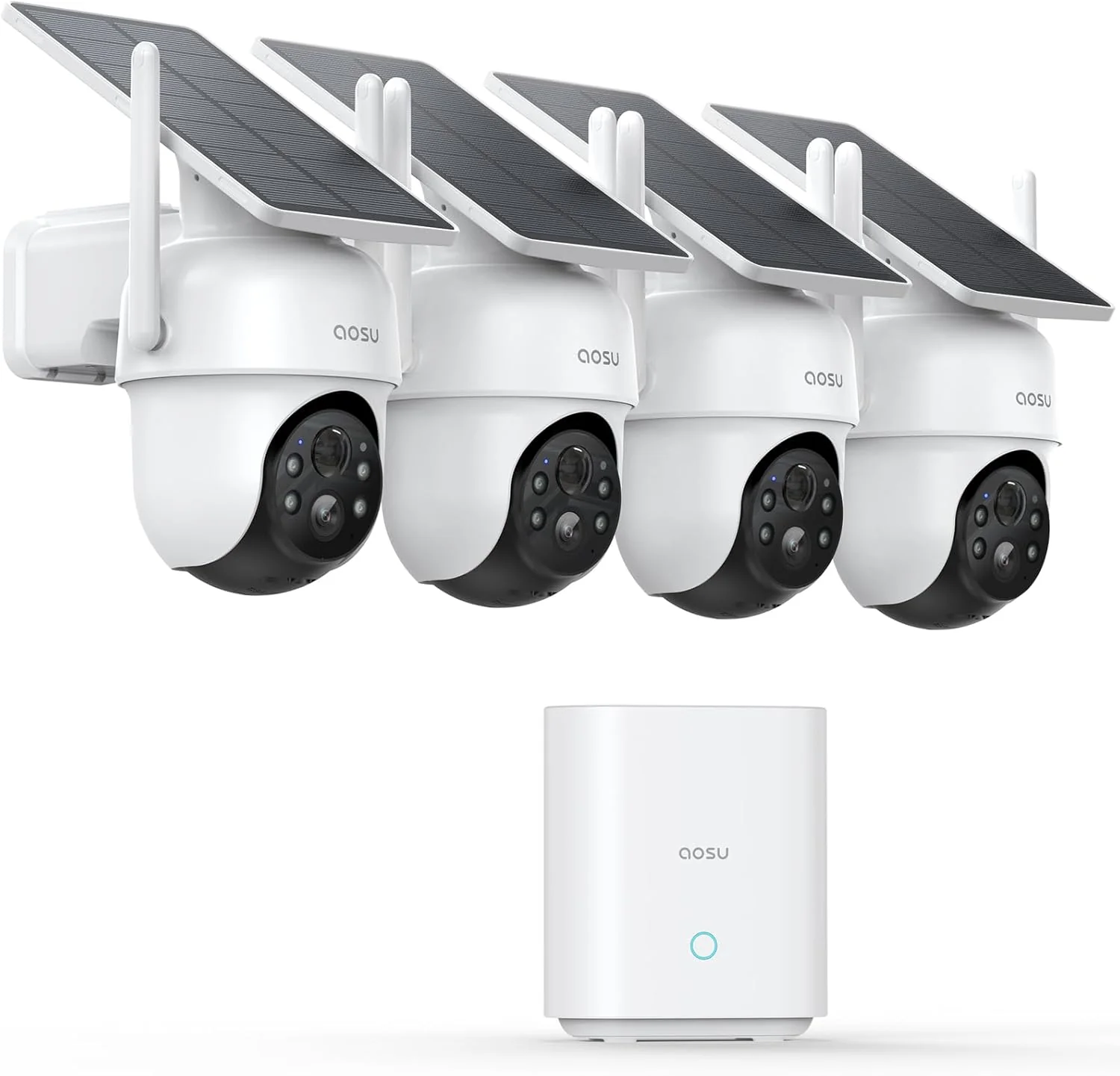
Fortunately, a growing selection of security cameras can record to a microSD card, home hub, or network video recorder without a mandatory cloud subscription. You pay more upfront in some cases, but you retain greater control over your footage and avoid another recurring bill.
“No subscription required” does not always mean “no account or Internet connection required.” Some cameras still use the manufacturer’s app and online services for remote viewing and notifications. The important distinction is that basic recording and playback can be handled by storage you own.
Subscription-Free Security Cameras at a Glance
| Camera | Ideal use | Resolution | Local storage | Power |
|---|---|---|---|---|
| TP-Link Tapo C225 | Indoor monitoring | 2K QHD | microSD up to 512GB | Power adapter |
| TP-Link Tapo C325WB | Affordable outdoor coverage | 2K QHD | microSD | DC or PoE |
| Reolink Altas PT Ultra | Wire-free panoramic coverage | 4K | microSD up to 512GB or Reolink hub | Battery and optional solar |
| eufyCam S3 Pro | Multi-camera home coverage | 4K | HomeBase 3, expandable to 16TB | Battery and solar |
| Ubiquiti G5 Turret Ultra | Advanced wired installations | 2K | Compatible UniFi Protect console or NVR | PoE |
TP-Link Tapo C225: Practical Indoor Monitoring
The TP-Link Tapo C225 is a strong option for monitoring an entrance hall, living room, nursery, or pet area. It records in 2K QHD and can pan through 360 degrees, automatically following movement as it crosses the room.
Recordings can be stored on a microSD card with a capacity of up to 512GB. The card is sold separately, but once installed, it provides local recording without requiring a Tapo Care subscription.
The C225 includes on-device detection for people, pets, vehicles, crying, glass breaking, and other sounds. Some notification enhancements—such as alerts containing snapshots—may require Tapo Care, but basic system notifications and local recording remain available without the cloud plan.
One of its most reassuring features is the physical privacy button. Pressing it rotates and hides the lens inside the camera body, giving you a visible indication that the room is not being recorded. That is considerably more convincing than trusting a software-only privacy switch.
TP-Link Tapo C325WB: Detailed Outdoor Video After Dark
The Tapo C325WB is designed for fixed outdoor coverage. Its 2K sensor, large aperture, and ColorPro low-light technology can capture usable color images when some ambient light is available. In complete darkness, the camera can switch to infrared.
Its on-device detection can distinguish between people, vehicles, and pets, reducing notifications caused by rain, moving branches, or insects. Recordings can be stored on a microSD card, while Tapo’s cloud service remains optional.
The C325WB is rated IP66 for outdoor use and can be powered with a conventional DC adapter or Power over Ethernet. PoE is especially valuable when you want a stable network connection and power through a single Ethernet cable.
This camera does not pan or tilt. That is not necessarily a weakness: a fixed camera aimed at a gate, driveway, or entrance is always looking in the expected direction. For evidential footage, consistent framing is often more useful than motorized movement.
Reolink Altas PT Ultra: Wide Coverage Without Power Cables
The Reolink Altas PT Ultra combines 4K video, motorized pan-and-tilt coverage, local storage, and a large rechargeable battery. It can pan approximately 355 degrees and tilt 90 degrees while automatically tracking detected activity.
Unlike many battery cameras that begin recording only after a person is already in view, the Altas PT Ultra offers adjustable pre-recording of up to 10 seconds. This can capture the approach to an incident instead of showing only the final moments.
Footage can be saved to a microSD card of up to 512GB or to a compatible Reolink Home Hub. Local storage does not require a monthly subscription. The camera also supports person, vehicle, and animal detection.
Reolink equips the camera with a 20,000mAh battery and supports an optional solar panel. Manufacturer battery estimates depend heavily on recording duration, detection frequency, temperature, Wi-Fi strength, and solar exposure. Continuous or pre-recording modes consume considerably more power than motion-only recording, so position the solar panel carefully if you plan to use those features frequently.
eufyCam S3 Pro: A Complete Multi-Camera System
The eufyCam S3 Pro system is designed for homeowners who need several cameras covering a driveway, front door, garden, and side entrance.
Each S3 Pro camera records in 4K and uses radar together with passive infrared detection to reduce unnecessary motion alerts. Its MaxColor Vision system is designed to produce detailed color video in low-light conditions, while infrared and adaptive spotlights provide additional nighttime options.
The included HomeBase S380 provides 16GB of internal storage and can be expanded with a compatible drive up to 16TB. Video is stored inside the home rather than exclusively on the outdoor cameras, which means an intruder cannot erase all recorded evidence simply by removing one camera.
The system does not require a monthly fee for local video storage or its core AI features. The cameras also have integrated solar panels, although available sunlight, mounting angle, activity levels, and local weather determine whether solar charging can keep up with daily consumption.
The main compromise is initial cost. You are buying both cameras and a central hub. For a larger property, however, that upfront investment can be easier to justify than paying a recurring fee for every camera year after year.
Ubiquiti G5 Turret Ultra: Local Security for Technical Users
The Ubiquiti G5 Turret Ultra is an outdoor 2K PoE camera built for the UniFi Protect ecosystem. Its compact turret body is weather-resistant and tamper-resistant, and it includes long-range infrared night vision.
UniFi Protect stores recordings locally and operates without conventional per-camera cloud licensing fees. It is a good fit for homeowners who want continuous recording, centralized management, and control over their own storage.
However, the G5 Turret Ultra is not a complete system by itself. You also need Ethernet cabling, suitable PoE equipment, and a compatible UniFi console or network video recorder with storage. That makes installation more involved than inserting a microSD card into a consumer Wi-Fi camera.
For someone already using UniFi networking equipment—or planning a permanent multi-camera installation—the additional hardware can be worthwhile. Casual users who need only one indoor camera will find Tapo or Reolink significantly easier to deploy.
Local Storage Is Not Automatically More Secure
Keeping recordings at home can improve privacy, but local storage introduces its own risks. A microSD card located inside an outdoor camera may disappear if the camera is stolen. Cards can also fail after repeated write cycles.
For important installations, use a high-endurance microSD card designed for continuous video recording. Check it periodically through the camera’s app and test whether older recordings can still be played.
A hub or NVR stored in a locked, concealed location offers stronger protection. The camera sends recordings back to the recorder, so removing the camera does not necessarily remove the evidence. The recorder should ideally be connected to a UPS so short power cuts do not immediately stop recording.
Cloud backup still has one important advantage: footage remains available if the camera, hub, or entire property is damaged or stolen. Some households therefore use local storage for everyday recording and activate optional cloud backup only for their most important camera.
What to Check Before Buying
Event recording or continuous recording
Most battery cameras record short events to preserve power. Wired and PoE cameras are usually better for continuous recording. Do not assume that local storage automatically means the camera records 24 hours a day.
Storage capacity and retention
Higher resolution, continuous recording, and busy scenes consume storage quickly. Check whether the camera automatically overwrites the oldest footage when its card or drive becomes full.
Internet and account requirements
A camera may continue recording locally during an Internet outage but lose remote viewing and phone notifications. Confirm what works offline if your connection is unreliable.
Nighttime image quality
Resolution is only part of the story. Sensor size, lens aperture, available light, infrared range, and subject movement all affect whether nighttime footage contains useful identifying details.
Installation location
Mount outdoor cameras high enough to discourage tampering but low enough to capture faces rather than only the tops of heads. Avoid aiming cameras at bright lamps, reflective walls, or directly into sunrise and sunset.
Protecting Your Camera System
- Use a long, unique password for the camera account.
- Enable multi-factor authentication when the manufacturer provides it.
- Install firmware and application updates promptly.
- Never reuse your email or banking password for a security-camera account.
- Limit shared access to trusted household members.
- Review old user accounts when someone moves out or changes roles.
- Place hubs, NVRs, routers, and PoE switches somewhere difficult to access.
- Consider a separate Wi-Fi network or VLAN for smart-home devices.
Frequently Asked Questions
Can I view a local-storage camera while away from home?
Usually, yes. Most consumer cameras provide remote viewing through their mobile app, but the camera and your phone will need Internet access. Local recording and remote access are separate features.
Do I need to buy a microSD card?
For cameras that record directly to a card, it is normally sold separately. Select a high-endurance card within the capacity supported by the exact camera model.
Will the camera record if my Internet connection fails?
Many local-storage cameras continue recording, provided they still have power. Remote alerts and viewing may stop until the connection returns. Hub-dependent systems can behave differently, so check the manufacturer’s offline-operation guidance.
Are subscription-free cameras completely private?
Not automatically. Remote access may still use the manufacturer’s servers, and account security remains important. Review privacy settings, disable features you do not use, and keep every component updated.
Final Recommendation
For simple indoor monitoring, the Tapo C225 provides an appealing combination of local storage, intelligent detection, and a physical privacy shutter. The Tapo C325WB is a sensible outdoor choice when you want reliable fixed coverage and PoE flexibility.
Choose the Reolink Altas PT Ultra when running power cables is impractical and you need wide motorized coverage. The eufyCam S3 Pro is better for a complete solar-powered, multi-camera system with centralized storage. For a permanent wired installation with room to expand, UniFi Protect and the G5 Turret Ultra offer greater control—provided you are comfortable with the higher setup cost and technical requirements.
The right subscription-free system is not simply the camera with the longest specification list. It is the one that records reliably, stores footage somewhere protected, and continues providing the features you need without demanding another monthly payment.