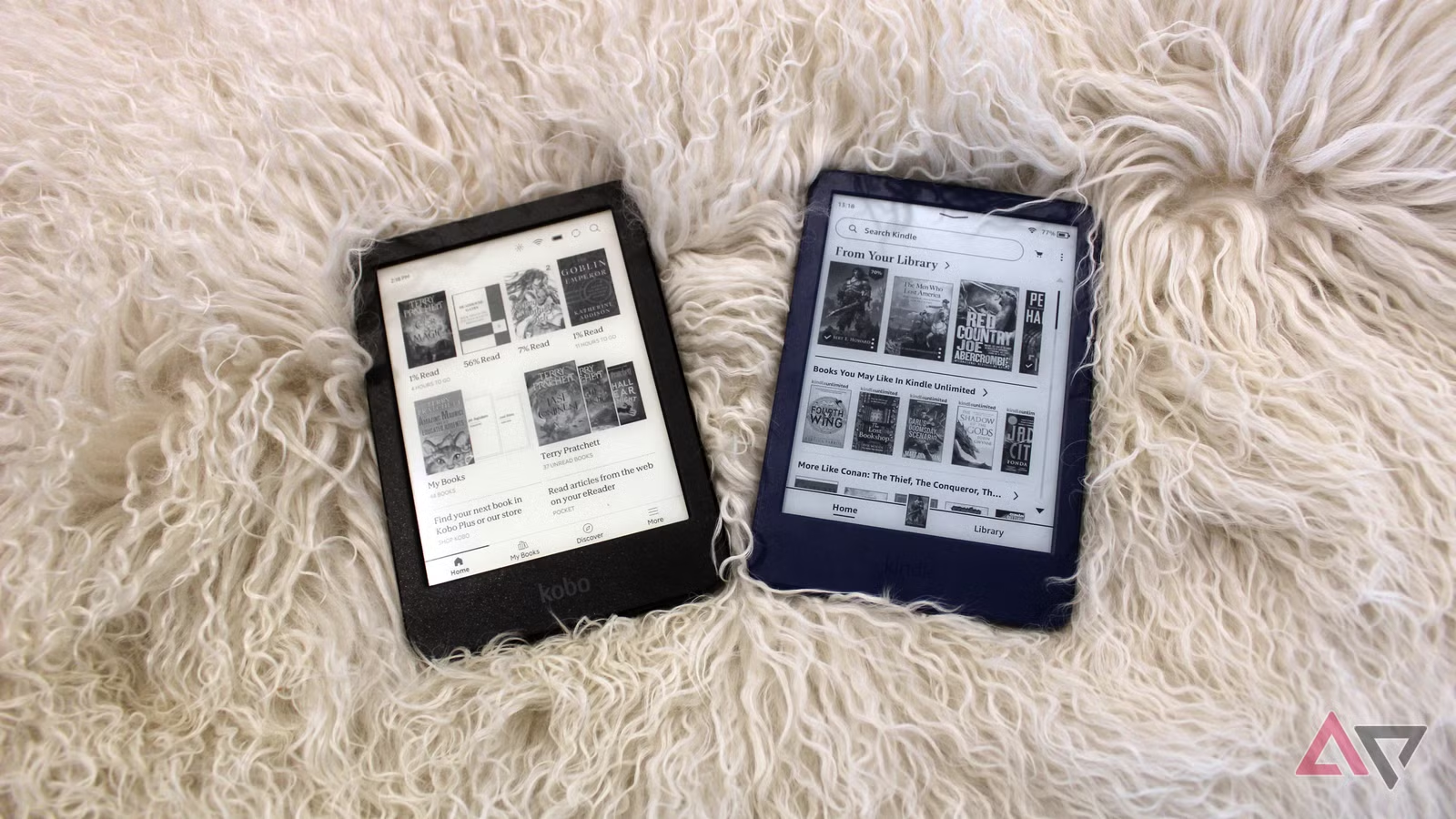
Amazon Kindle remains the most familiar choice, particularly for readers who already buy books from Amazon. Kobo provides a compelling alternative with broader native format support and useful library integration in supported countries. BOOX takes a more flexible Android-based approach, while PocketBook appeals to readers with personal ebook collections in several formats.
The right device is therefore not necessarily the most expensive one. It is the e-reader that works with the books, stores, libraries, and services you already use.
Recommended E-Readers at a Glance
| E-Reader | Ideal For | Display | Storage | Water Protection |
|---|---|---|---|---|
| Kindle Paperwhite | Amazon customers and general reading | 7-inch monochrome, 300 ppi | 16GB | Waterproof |
| Kobo Clara BW | Portable, distraction-free reading | 6-inch Carta 1300 monochrome | 16GB | Waterproof |
| Kobo Libra Colour | Color, page buttons, and annotations | 7-inch Kaleido 3 color | 32GB | IPX8 |
| BOOX Go 7 Series | Multiple reading apps and stores | 7-inch monochrome or color | 64GB plus microSD | Water-repellent, not waterproof |
| PocketBook Verse Pro Color | Personal ebook collections and format support | 6-inch Kaleido 3 color | 16GB | IPX8 |
Kindle Paperwhite: The Straightforward Amazon Choice
Choose it if: You already purchase Kindle books or use Kindle Unlimited.
The Kindle Paperwhite is the easiest recommendation for someone already invested in Amazon’s book ecosystem. Its seven-inch monochrome display has a sharp 300-pixel-per-inch resolution, an adjustable front light, and a warmer light setting for evening reading.
The current 16GB model provides more than enough room for a substantial ebook library. Amazon estimates up to 12 weeks of battery life under controlled conditions, although frequent downloads, brighter lighting, Wi-Fi use, and audiobook playback will shorten that figure.
Waterproofing makes the Paperwhite a practical travel companion, particularly for beaches, pools, and baths. Its screen is also large enough to feel more spacious than a six-inch reader without becoming difficult to carry.
The trade-off is ecosystem dependence. Kindle offers convenient access to Amazon’s large catalog, but readers with extensive EPUB collections or books purchased from other stores may need to use Amazon’s Send to Kindle service or manage file conversion. Digital-rights restrictions can prevent some books from being transferred at all.
- Advantages: Large bookstore, sharp display, warm lighting, strong battery life, waterproof design
- Limitations: Closely tied to Amazon services, no physical page-turn buttons, limited format flexibility compared with some rivals
Kobo Clara BW: A Compact Reader for Books Without Distractions
Choose it if: You mainly read novels and want a compact alternative to Kindle.
The Kobo Clara BW focuses on the fundamentals. It uses a six-inch E Ink Carta 1300 monochrome screen and includes ComfortLight PRO for adjusting brightness and color temperature.
Its 16GB of storage is sufficient for thousands of typical ebooks. Bluetooth allows supported Kobo audiobooks to be played through wireless headphones or a speaker, while waterproof construction makes the device suitable for reading near water.
Kobo supports EPUB and several other common formats more directly than Kindle. This can make the Clara BW easier to live with if you buy DRM-free ebooks from different sources or manage your own digital library.
OverDrive integration also allows compatible Kobo devices to borrow ebooks from participating public libraries in supported countries. Availability depends on the reader’s location, library system, and individual title licenses, so confirm local support before purchasing solely for this feature.
The Clara BW is especially appropriate for text-heavy reading. Its monochrome display offers sharper text and a lighter-looking background than current color E Ink screens. Readers who do not need colorful covers, comics, or annotations may find it more satisfying than a more expensive color model.
- Advantages: Compact design, crisp monochrome screen, EPUB support, waterproofing, adjustable warm light
- Limitations: Smaller display, no color, no physical page buttons, no stylus support
Kobo Libra Colour: Color, Page Buttons, and Handwritten Notes
Choose it if: You want color highlights, physical buttons, and optional handwriting.
The Kobo Libra Colour is one of the most versatile dedicated e-readers. Its seven-inch E Ink Kaleido 3 display presents black-and-white text at 300 ppi and color content at 150 ppi.
Color is useful for book covers, illustrations, highlighted passages, planners, and some comics. However, buyers should set realistic expectations. Color E Ink is more subdued than an LCD or OLED tablet, and the screen background can appear darker than a monochrome e-reader.
The Libra Colour has physical page-turn buttons and automatically supports left- or right-handed screen orientation. Its 32GB of storage provides substantial room for ebooks, audiobooks, notebooks, and documents.
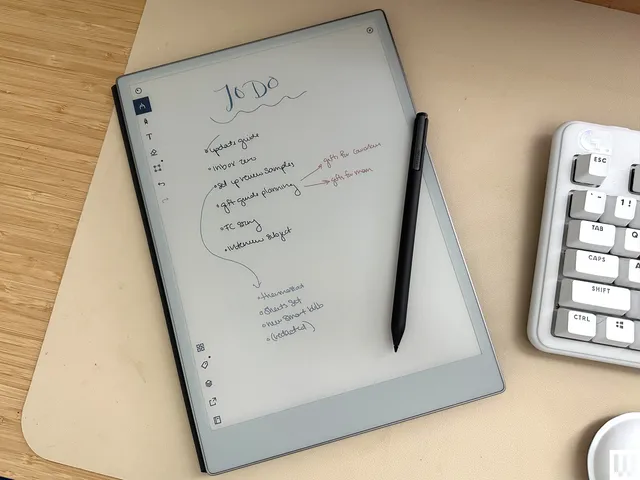
It is compatible with the Kobo Stylus 2, sold separately, for handwritten notes and color annotations. Integrated notebooks can be backed up through Kobo’s services, with additional Dropbox and Google Drive connectivity supported by the device.
The IPX8 rating covers immersion in up to two meters of water for as long as 60 minutes under Kobo’s stated test conditions. This is protection against accidents—not an invitation to charge, operate, or deliberately store the reader underwater.
- Advantages: Color display, page-turn buttons, 32GB storage, optional stylus, waterproofing
- Limitations: Stylus costs extra, muted color compared with tablets, darker screen than monochrome readers
BOOX Go 7 Series: The Flexible Android Alternative
Choose it if: You want to read through several apps rather than commit to one bookstore.
The BOOX Go 7 Series takes a fundamentally different approach. The monochrome Go 7 and Go Color 7 Gen II run Android 13 and include access to the Google Play Store.
This makes it possible to install multiple compatible reading applications, potentially including Kindle, Kobo, Google Play Books, news platforms, document tools, and other Android apps. It is an attractive solution for readers whose purchases are already divided between several ecosystems.
Both models have seven-inch displays, physical page-turn buttons, adjustable front lighting, 4GB of memory, 64GB of internal storage, and a microSD card slot. The monochrome Go 7 uses a 300-ppi Carta 1300 display, while the Go Color 7 Gen II displays black-and-white content at 300 ppi and color at 150 ppi.
The flexibility comes with additional complexity. Android applications are designed primarily for faster phone and tablet screens, so animations, scrolling, and video can look less fluid on E Ink. BOOX provides display controls to improve individual apps, but getting the best results may involve experimentation.
The Go 7 series is water-repellent rather than waterproof. BOOX specifically states that it should not be submerged or exposed to high-pressure water.
- Advantages: Multiple reading apps, Google Play Store, physical buttons, microSD expansion, optional handwriting
- Limitations: More complicated interface, some Android apps are poorly optimized for E Ink, not fully waterproof
PocketBook Verse Pro Color: Wide Format Support in a Small Device
Choose it if: You maintain a personal collection containing several ebook and document formats.
The PocketBook Verse Pro Color combines a compact six-inch Kaleido 3 display with unusually broad file compatibility.
PocketBook lists support for 25 formats, including EPUB, PDF, comic formats, and files protected with supported Adobe DRM. That flexibility is particularly useful for readers who purchase books from independent stores or maintain a carefully organized personal library.
The display renders monochrome content at 300 ppi and color at 150 ppi. SMARTlight adjusts brightness and color tone, while Bluetooth and audio support enable audiobook playback. The device also includes text-to-speech functionality for compatible text files.
Its IPX8 water protection and 16GB of storage make it suitable for travel. The main concern is regional availability: PocketBook devices, accessories, stores, and warranty support can be easier to obtain in Europe than in some other markets.
- Advantages: Wide format support, compact color screen, text-to-speech, Bluetooth audio, IPX8 protection
- Limitations: Smaller screen, limited regional availability, less familiar store ecosystem
Kindle vs. Kobo: Which Ecosystem Is Better?
Choose Kindle if:
- You already own a large Kindle library.
- You frequently shop for books through Amazon.
- Kindle Unlimited or Audible integration matters to you.
- You want a simple purchasing and synchronization experience.
Choose Kobo if:
- You regularly read EPUB files.
- You want integrated OverDrive borrowing where supported.
- You prefer physical page-turn buttons or stylus options.
- You want less dependence on Amazon’s ecosystem.
Choose BOOX or PocketBook if:
- Your books come from multiple stores and applications.
- You need broader document-format support.
- You are comfortable managing files and device settings.
- Flexibility is more important than a tightly controlled experience.
Monochrome or Color E Ink?
For novels, biographies, and other text-heavy books, a monochrome screen remains the better value. Text is crisp, the background generally looks lighter, and the device usually costs less.
Color E Ink becomes worthwhile for illustrated nonfiction, comics, colorful highlights, textbooks, diagrams, and digital planning. Its colors are restrained and paper-like rather than bright and saturated. Black-and-white content may still appear sharp, but the color-filter layer can make the overall screen look darker.
If you expect tablet-quality color or smooth video, buy a conventional tablet. E Ink color is intended to add useful visual information while preserving the reflective, low-power character of an e-reader.
Additional Buying Considerations
Library Access
Confirm which ebook-lending services your local library supports. OverDrive, Libby, and Kindle library lending differ by country and library. A feature advertised in the United States, Canada, or Europe may not be available in Rwanda or another market.
Digital Rights Management
An ebook file is not always freely transferable. Books protected by digital-rights management may remain tied to the original store and authorized applications. Check your existing library before changing ecosystems.
Screen Size
A six-inch reader is easier to carry and hold with one hand. Seven-inch screens provide more text per page without becoming excessively heavy. Larger displays are better for PDFs, academic papers, and handwriting but are less convenient for casual travel.
Storage
Ordinary ebooks require little space, making 16GB sufficient for most readers. More storage becomes useful for audiobooks, comics, PDFs, notebooks, and offline documents. A microSD slot is valuable if you maintain an unusually large personal collection.
Frequently Asked Questions
Can Kindle books be read on a Kobo?
Not directly in most cases. Kindle books commonly use Amazon-specific delivery and digital-rights protection. DRM-free books may sometimes be converted, but protected purchases generally remain tied to authorized Kindle devices and applications.
Can EPUB files be sent to a Kindle?
Amazon’s Send to Kindle service accepts EPUB files and converts supported documents for delivery. A Kindle does not provide the same native EPUB workflow as Kobo, PocketBook, or many BOOX reading applications.
Is an e-reader easier on battery life than a tablet?
Yes. E Ink primarily consumes power when the screen changes, allowing many e-readers to run for weeks under light use. Front-light brightness, Wi-Fi, Bluetooth, audiobooks, handwriting, and Android applications can reduce battery life.
Do I need a color e-reader?
Probably not if you mainly read novels. Color is most useful for comics, illustrations, textbooks, highlighted research, and digital notebooks.
Final Recommendation
The Kindle Paperwhite is the most straightforward choice for readers already using Amazon. The Kobo Clara BW is the better compact option for text-focused reading and EPUB flexibility.
Choose the Kobo Libra Colour if you want physical buttons, color, and optional handwriting. The BOOX Go 7 Series is more suitable when access to several Android reading apps is essential, while the PocketBook Verse Pro Color stands out for broad format support.
Before buying, inspect your existing ebook library. The store and file formats attached to those books may make the decision more clearly than any hardware specification.